Most people land on a plumber’s website in one of two moods. Either water is on the floor right now, or they are calmly comparing companies for a water heater, a repipe or a bathroom remodel. Good plumber website design serves both: it gets the urgent visitor to a phone call in seconds, and it gives the planner enough detail and proof to request an estimate without calling three other companies first.
This guide explains how to build a plumbing website around those two moods, what belongs on the first phone screen, which pages earn their place, and which claims (tax credits, Google badges, “24/7”) need a second look in 2026.
A plumbing company’s phone rings for very different reasons, and the website should reflect that instead of offering one long “Services” list.
| Visitor | Typical problem | What they need to see | Best call to action |
| Urgent | Burst or leaking pipe, sewage backing up, no hot water, overflowing toilet | That you cover their area, that you are open now, how soon someone can come, what the visit fee is | Tap-to-call button, with a two-field “call me back” form as backup |
| Soon, not today | Dripping faucet, slow drain, running toilet, water heater making noise | Available appointment windows, how pricing works, recent reviews | Online booking or a short request form |
| Planner | Water heater replacement, whole-home repipe, sewer line repair, remodel, water treatment | Options and trade-offs, what affects the price, permits, warranty, photos of similar jobs, financing | “Request an estimate” form with photo upload |
| Commercial or property manager | Ongoing maintenance, backflow testing, tenant emergencies | Licensing and insurance, response times, invoicing, who to call after hours | Direct contact line and a bid request form |
The urgent visitor decides in under a minute and rarely scrolls. The planner may read three or four pages and come back twice. A site built only for one of them loses the other.
Most emergency plumbing searches happen on a phone, often with one hand busy holding a towel. Before any scrolling, the screen should answer four questions:
Keep this area light. A large video or image slider at the top slows the page at the exact moment speed matters most. One real photo of your team or truck, compressed properly, is enough.
This is often the most visited page after the homepage. Besides the call button, include a short “what to do while you wait” section: where the main water shut-off valve usually is, how to turn off water to a single toilet or sink, and when to switch off a water heater. It is useful to the reader and shows you know the work.
Add a clear safety line as well. If a visitor smells gas, they should leave the building and call 911 or the gas utility’s emergency number before calling a plumber. That advice belongs above your phone number, not below it.
Separate everyday drain cleaning from sewer line work. A clogged kitchen sink is a small job; a failed sewer line can be one of the largest repair bills a homeowner faces. The sewer page should explain camera inspections, the repair methods you offer (spot repair, trenchless lining or pipe bursting, full replacement) and what decides between them. If you share camera footage or stills with customers, say so: it is strong proof that a recommendation is based on evidence.
Buyers here are comparing: tank or tankless, gas or electric, standard or heat pump, repair or replace. A simple comparison of the options, typical install time, permit requirements in your area and what your warranty covers will answer most questions before the call.
These are considered purchases. Explain the signs (discolored water, repeated pinhole leaks, low pressure), the materials you use, how long the home is without water and how walls are patched afterward. For leak detection, a concrete fact helps: the EPA’s WaterSense program says the average household’s leaks waste more than 9,300 gallons of water a year. Quote figures like this accurately and name the source.
Covered in the next section. This page reduces “just checking prices” calls and builds trust with careful buyers.
If you offer an annual plan (water heater flush, inspection, priority scheduling, a discount on repairs), give it its own page with the price and exactly what is included. Vague plans don’t sell.
Photos of the actual owner and technicians, license and insurance details, years in business and recent reviews. People are letting a stranger into their home; let them see who is coming.
Plumbing customers worry about one thing more than almost anything else: an open-ended bill. You don’t have to publish every price, but your site should explain the model.
Whatever you publish, keep it current. An old coupon or a service fee from two years ago causes arguments at the door.
Plumbing is licensed in most states, and several require the license number in advertising. In Texas, the State Board of Plumbing Examiners’ rules say advertisements designed to solicit plumbing business must state the Responsible Master Plumber’s license number “regardless of the type of media used.” In California, contractors must include their CSLB license number in all forms of advertising, and the board lists online ads among them. The simplest approach is to put the number in the footer of every page and on the About page, matching the exact business name on the license. Rules differ by state and city, so confirm the details with your own licensing board. This is general information, not legal advice.
Many plumbing sites still display a “Google Guaranteed” graphic. Google began replacing Google Guaranteed and Google Screened with a single “Google Verified” badge for Local Services Ads in October 2025, and Google’s Local Services help pages say the Google Guarantee badge and its Money Back Guarantee were discontinued in November 2025. If your site shows the old badge or promises a Google-backed refund, update it, and only show the new badge if your business currently holds it.
The federal Energy Efficient Home Improvement Credit (Section 25C), which covered qualifying heat pump water heaters, is not available for equipment placed in service after December 31, 2025, according to IRS guidance. Remove “30% federal tax credit” banners from water heater pages. State and utility rebates may still exist in your area; link to the program’s own page and suggest customers confirm eligibility.
Use real reviews with the customer’s permission, and never write or buy them; the FTC’s rule on fake reviews and testimonials took effect in October 2024. Apply the same honesty to availability. “24/7” should mean a person answers at 2 a.m. If it means voicemail until morning, write “emergency line answered until 10 p.m.” instead. An accurate promise wins more repeat customers than an impressive one.
A good site still needs visitors. For most plumbing companies, that means three things working together: a complete Google Business Profile, service pages that match what people search, and consistent business details everywhere.
For a step-by-step process, see our local SEO checklist for contractors.
Price depends on page count, features such as online booking, and who supplies the text and photos. For reference, our Starter package covers up to 5 pages, delivered in 5 to 7 business days. Growth covers up to 10 pages plus a blog, with advanced SEO and speed optimization, delivered in 10 to 12 business days. Larger or multi-location sites are scoped as Enterprise projects. We confirm the exact scope and price in a free consultation.
A plumbing company with separate emergency, drain, sewer, water heater, pricing and about pages will usually pass 5 pages, so write your page list first and compare quotes against it. If your company also handles electrical work, our electrician website design guide covers that side.
Most local plumbing companies do well with 8 to 12: a homepage, an emergency page, a page for each main service, pricing or financing, about and licensing, reviews and contact. Add city pages only if each can carry real local content.
At minimum, publish your dispatch or diagnostic fee and explain whether you charge flat-rate or hourly. Ranges for common jobs help too, with a note that the final price is confirmed on site.
In many states, yes. Texas and California both require license numbers in advertising. Even where it isn’t required, showing it is an easy way to stand apart from unlicensed operators. Check your state board for the exact rule.
Not for new installations. The Section 25C credit does not apply to equipment placed in service after December 31, 2025. Customers who installed in 2025 should ask a tax professional about claiming it on that year’s return.
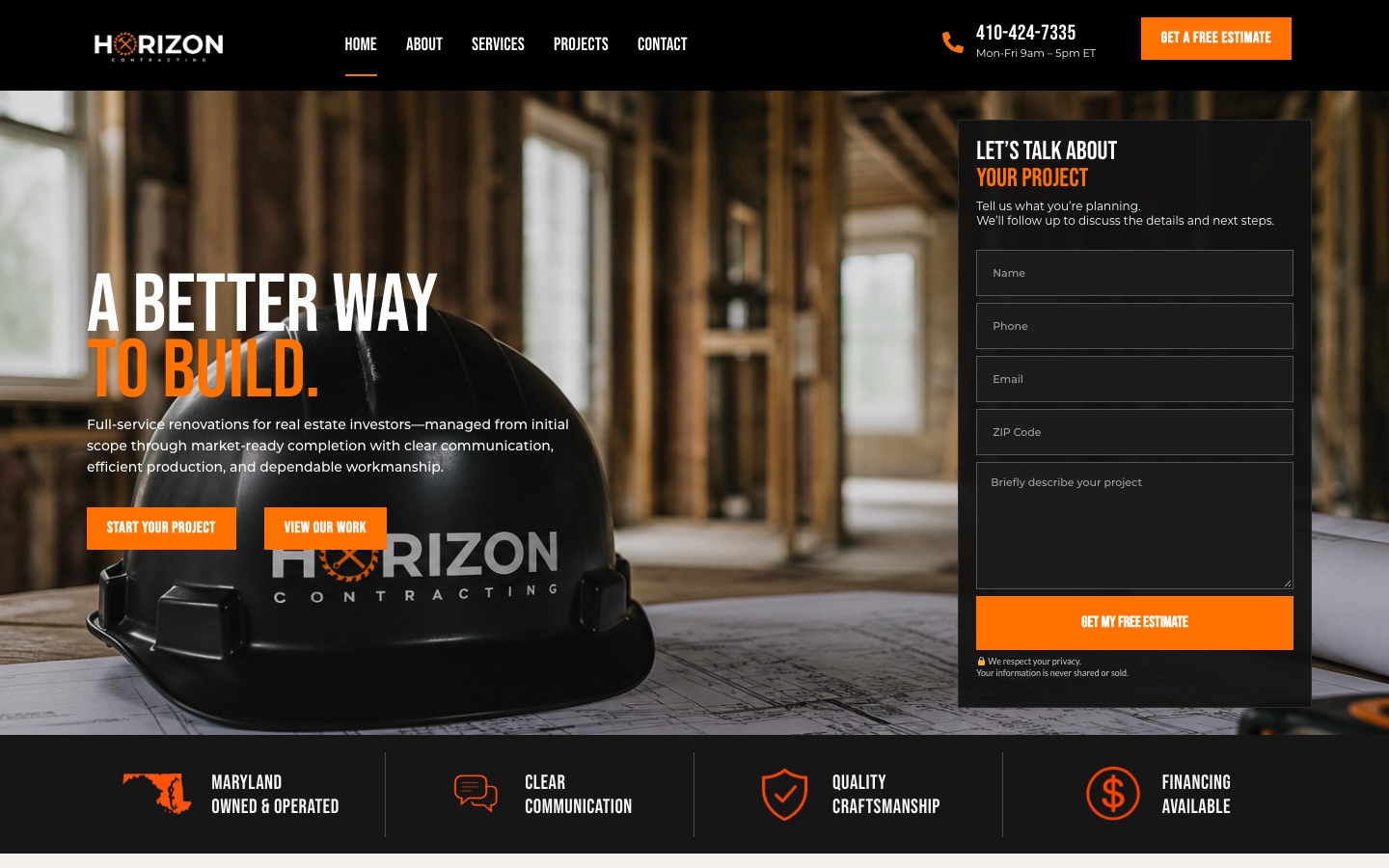
Our website design service builds mobile-responsive, SEO-ready sites with speed and conversions in mind. Blue IT has been building websites since 2015, and you can see how we approached a contractor site with a free estimate form in our Horizon Contracting case study.
When you’re ready to plan your new site, contact us and tell us about your plumbing business.

Talk to our team about your project. Book a free consultation, no obligation.