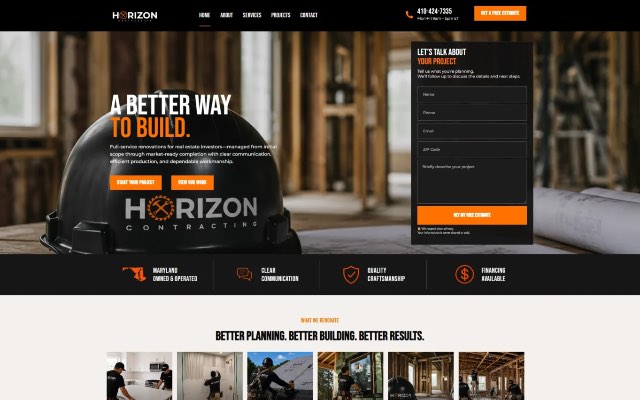
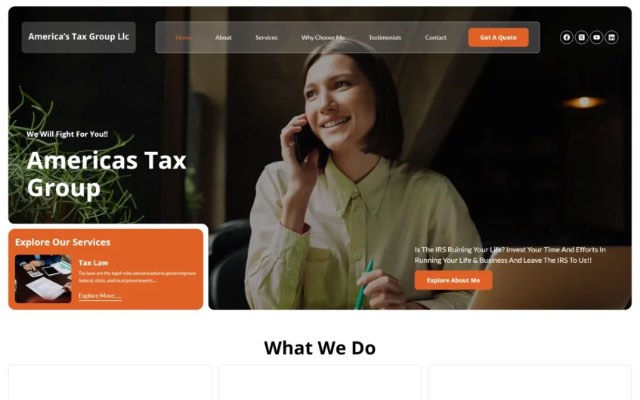
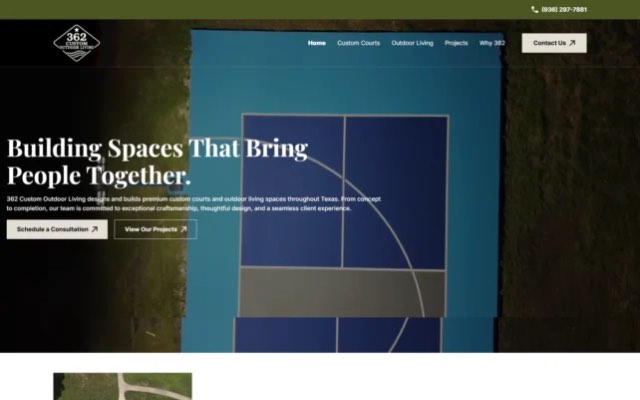
A website redesign should bring in more leads, not fewer. Yet one of the most common stories we hear is: “We launched our new website and our Google traffic dropped.” In almost every case the cause is preventable: changed URLs without redirects, deleted pages that used to rank, or a staging setting that told Google not to index the new site.
This checklist covers what to do before, during and after a redesign so you keep the rankings you’ve earned and give the new site the best chance to grow.
Key Takeaways
- Record your current rankings, traffic and top pages before you change anything.
- Keep URLs that rank. If a URL must change, set up a 301 redirect from the old address to the closest new page.
- Don’t remove content that brings traffic without replacing it with something equally useful.
- Block search engines from the staging site, and make sure that block is removed at launch.
- Monitor Search Console closely for the first few weeks after launch and fix issues quickly.
Before the Redesign: Benchmark Everything
1. Export your current performance data
From Google Search Console, export the pages and search queries that bring clicks over the last 12 months. From Google Analytics, export your top landing pages and the pages that generate leads or sales. This is your baseline and your list of pages to protect.
2. Crawl the current site
Use a crawler such as Screaming Frog to list every URL, title tag, meta description, heading and canonical tag. Save the export: you’ll need it for redirects and for comparing the old and new sites.
3. Identify your most valuable pages
Mark the pages that bring organic traffic, earn backlinks or convert visitors into leads. These pages need the most care during the redesign, and ideally they keep the same URL.
4. Note your backlinks
Check which of your pages other websites link to. If those pages move without a redirect, you lose the value of those links.
During the Redesign: Protect What Works
5. Keep URLs whenever possible
The safest redesign keeps existing URLs for existing content. Changing URL structures (for example from /services/roof-repair/ to /roof-repair/) is sometimes worth it, but every change needs a redirect.
6. Build a redirect map
For every old URL that changes or disappears, choose the most relevant new page and plan a 301 (permanent) redirect. Avoid sending everything to the homepage; redirect each page to its closest match. Avoid redirect chains where one redirect points to another.
7. Keep or improve your content
Fresh design shouldn’t mean thinner pages. If a service page ranks because it explains the service in depth, keep that depth in the new design. Pages that are merged should combine the best content from each.
8. Carry over on-page SEO
Bring across title tags, meta descriptions, headings, image alt text and internal links, improving them where you can. Keep one clear H1 per page.
9. Keep structured data and tracking
Check that schema markup, analytics tags, conversion tracking and pixels are added to the new site. Missing tracking is easy to overlook and makes it impossible to compare before and after.
10. Hide the staging site from search engines
Password-protect the staging site or set it to “noindex”, so Google doesn’t index a duplicate copy of your website.
11. Test speed and mobile usability
A redesign is the perfect time to improve Core Web Vitals. Compress images, limit heavy scripts and animations, and test key pages on real phones before launch.
Launch Day Checklist
- Remove any “noindex” setting or password protection from the live site. (In WordPress, check that “Discourage search engines from indexing this site” is unchecked.)
- Turn on your redirects and test a sample of old URLs, especially your top pages.
- Check robots.txt isn’t blocking important sections, and that it points to the correct sitemap.
- Submit the XML sitemap in Google Search Console.
- Confirm canonical tags point to the live URLs, not to staging.
- Test forms, phone links and checkout so leads and orders still reach you.
- Verify analytics and conversion tracking are recording data.
- Use HTTPS everywhere and redirect any HTTP or “www” variations to one version.
After Launch: Monitor and Fix
- Watch Search Console daily for the first two weeks. Look for spikes in “Not found (404)” errors, pages excluded from the index and crawl errors.
- Crawl the new site and compare it with your pre-launch export to find missing pages, broken links and missing titles.
- Check your top pages’ rankings and traffic weekly against your baseline.
- Fix 404s quickly by adding redirects for any old URLs you missed.
- Update important backlinks where you can, asking partners to link to the new URLs directly.
Some fluctuation in the first few weeks is normal while Google recrawls the site. A sharp, lasting drop usually points to missing redirects, removed content or an indexing setting, all of which can be fixed.
Common Redesign Mistakes That Cost Rankings
- Launching with the staging “noindex” setting still on.
- Changing every URL and forgetting the redirects.
- Redirecting all old pages to the homepage.
- Cutting long, helpful content in favor of a minimal design.
- Replacing text with images of text that search engines can’t read.
- Forgetting to move analytics and conversion tracking.
- Adding heavy animations and videos that slow down mobile pages.
Frequently Asked Questions
Will a website redesign hurt my SEO?
It doesn’t have to. Rankings usually drop only when URLs change without redirects, content is removed, or the new site is blocked from indexing. A careful redesign often improves rankings through better speed, structure and content.
How long does it take for rankings to settle after a redesign?
Small fluctuations are common for a few weeks while Google recrawls the site. With redirects and content in place, most sites settle within one to two months.
Should I change my URLs during a redesign?
Only if there’s a clear benefit, such as a confusing or outdated structure. Every changed URL needs a 301 redirect to its closest new equivalent.
What’s the difference between a 301 and a 302 redirect?
A 301 tells search engines the move is permanent, which is what you want for a redesign. A 302 signals a temporary move.
Do I need to resubmit my sitemap after a redesign?
Yes. Submit the new XML sitemap in Search Console so Google discovers your new and changed pages faster.
Planning a Redesign?
Our
website redesign service is built around SEO-safe migration: we map your existing URLs, handle redirects and keep the site search-friendly throughout the rebuild, as we did for the Maryland Health Foundation redesign.
Book a free consultation, or read our
WordPress website cost guide to plan your budget.